본 내용은 해당 강의 내용을 참조하여 만들었음을 밝힙니다.

Module Introduction
현재까지는 단순한 홈페이지지만 점차 페이지가 커짐에 따라 file이 dynamic 해짐
- Template이 무엇인가?
- Django Template Language Features
- Working with Static FIles (CSS, Javascript, Images)
Adding & Registering Templates

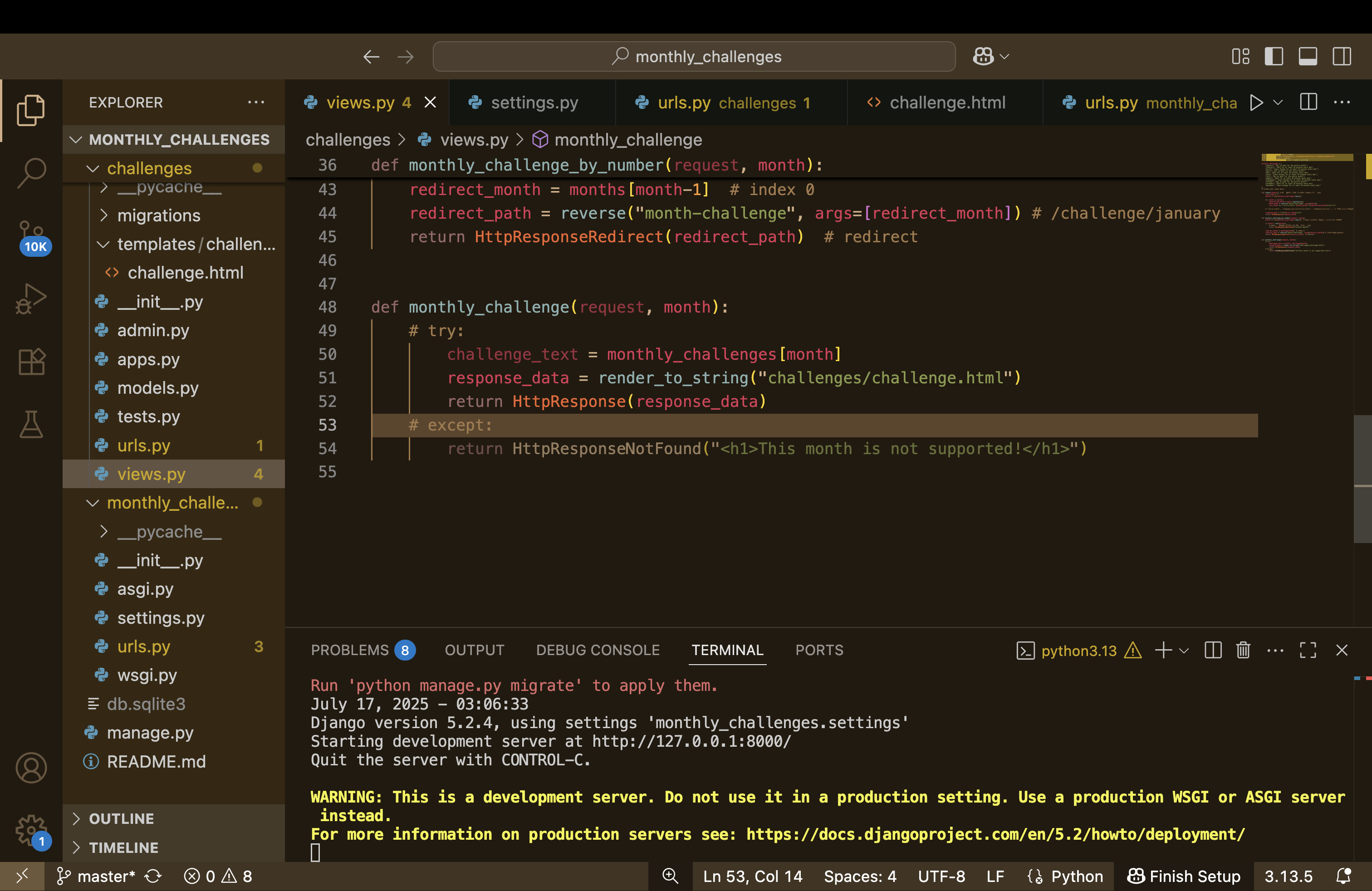
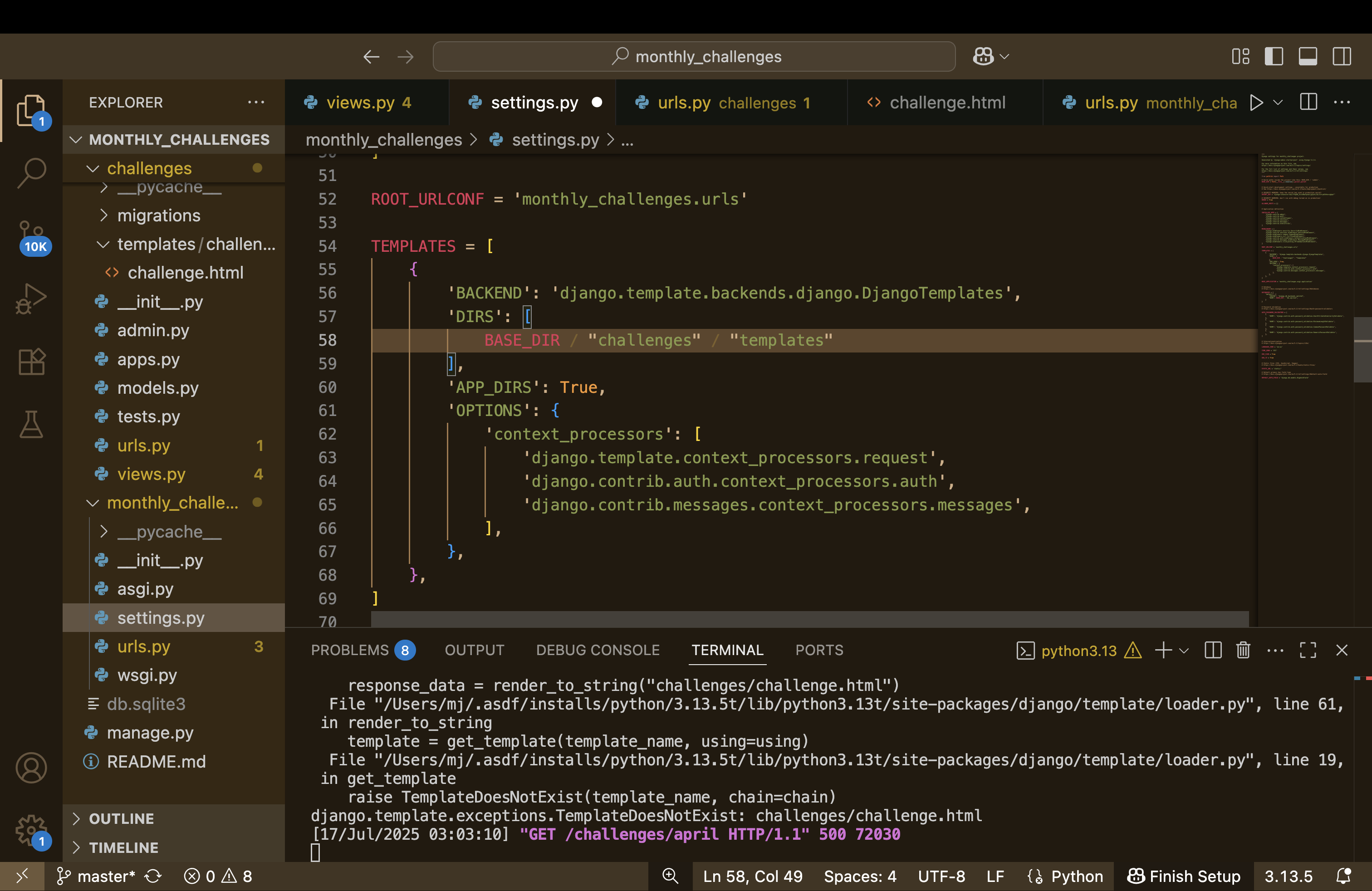

하지만 이렇게 하지 않고 다른 방법이 있다.
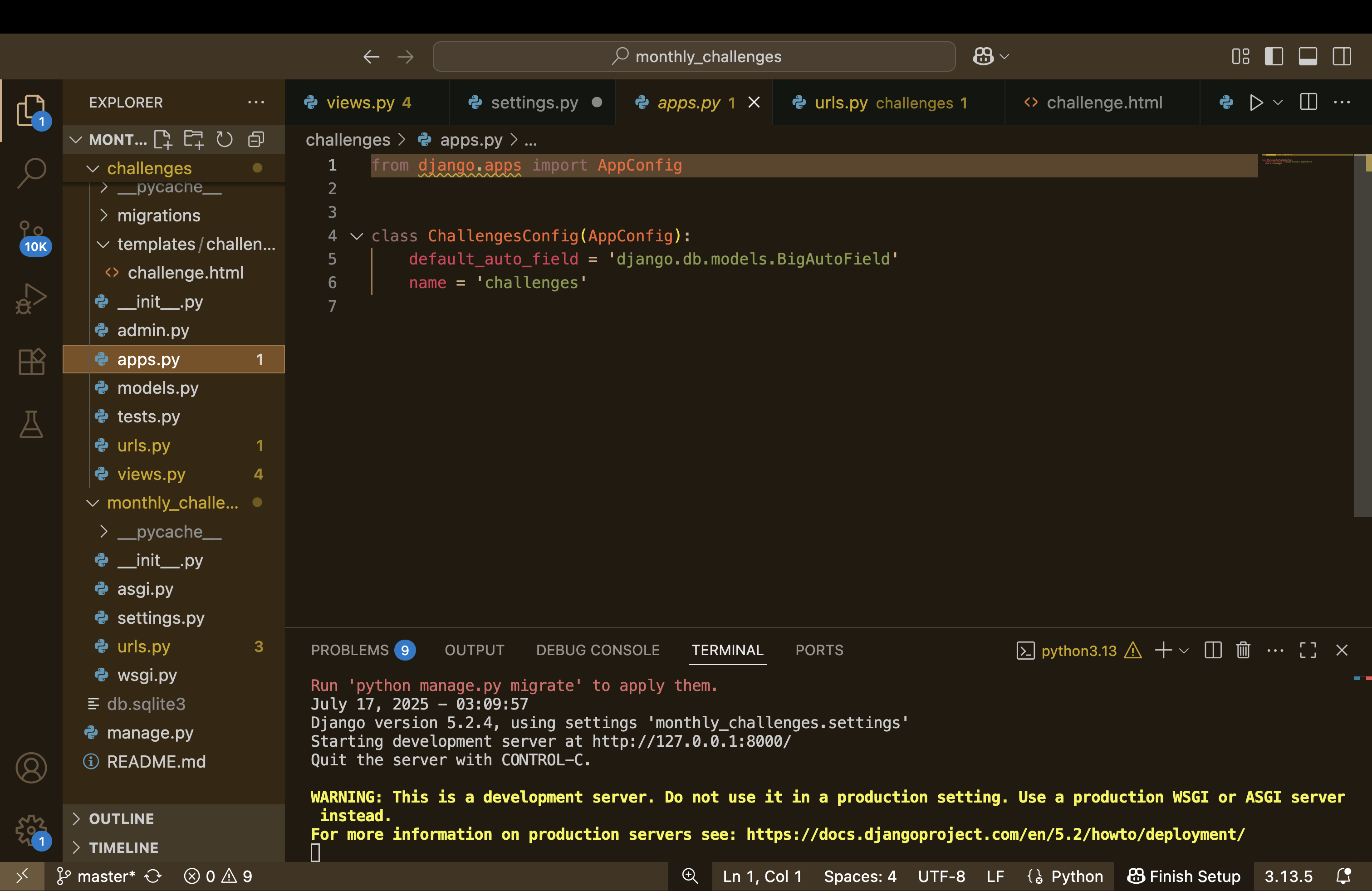
여기에 이름이 challenges인 것을 확인하고

INSTALLED_APPES 에 challenges를 추가해준다.
그러면 ?? DIRS에 추가를 안해줘도 잘 동작함.
DIRS란?
- DIRS는 템플릿 파일을 어디서 찾을지 경로를 지정하는 곳
- 예를 들어 DIRS: [BASE_DIR / 'templates'] 라고 설정하면, → 프로젝트/templates/ 폴더 안에 있는 HTML 파일들을 템플릿으로 사용할 수 있다는 뜻
APP_DIRS란?
- APP_DIRS: True로 설정하면 Django는 각 앱 폴더 안에 있는 templates/ 폴더도 자동으로 탐색
Rendering Templates
여러가지 템플릿이 존재한다.
같은 템플렛 이름이 있다면 장고는 이를 하나의 큰 파일로 통합하여 실행한다.
파일 이름을 잘못 지정하면 안되는 이유이다.
def monthly_challenge(request, month):
    try:
        challenge_text = monthly_challenges[month]
        return render(request, "challenges/challenge.html")
    except:
        return HttpResponseNotFound("<h1>This month is not supported!</h1>")
같은 결과값이 나오지만 render를 사용하여 표현하면 다음과 같다.
request를 꼭 써야 한다.
근데 이것도 다이나믹 한 것은 아니다. hard-coded된 html일 뿐이다.
우리에게 dymanic pieces가 있다.
Template Language & Variable Interpolation
Enhanced HTMl files to create dynamic pages
Standard HTML Syntax + Special DTL Syntax => Dynamic HTML Page
Returned with Response
템플릿은 HTML을 확장한 동적 페이지 생성을 위한 언어이다.
Django Template Language(DTL)는 HTML 코드 안에 특수한 문법({{ }}, {% %})을 넣어 동적인 내용을 표현할 수 있게 해준다.
{{ 변수명 }} 형식은 변수를 출력하는 문법으로, 이를 변수 치환(Variable Interpolation)이라고 한다.
이러한 템플릿은 뷰(view)에서 데이터를 전달받아 render() 함수로 처리된 후 최종적으로 사용자에게 응답으로 반환된다.
Interpolation: 문자열 안에 변수 값을 삽입(치환)하는 것이다.
Filters
https://docs.djangoproject.com/en/5.2/ref/templates/builtins/
Built-in template tags and filters | Django documentation
The web framework for perfectionists with deadlines.
docs.djangoproject.com
<!DOCTYPE html>
<html lang="en">
<head>
    <meta charset="UTF-8">
    <meta name="viewport" content="width=device-width, initial-scale=1.0">
    <title>{{ month_name|title }} Challenges</title>
</head>
<body>
    <h1>{{ month_name | title }} Challenge</h1>
    <h2>{{ text }}</h2>
</body>
</html>
title 을 사용함으로서 capitalize()와 같은 기능을 한다.
Tags & the "for" Tag
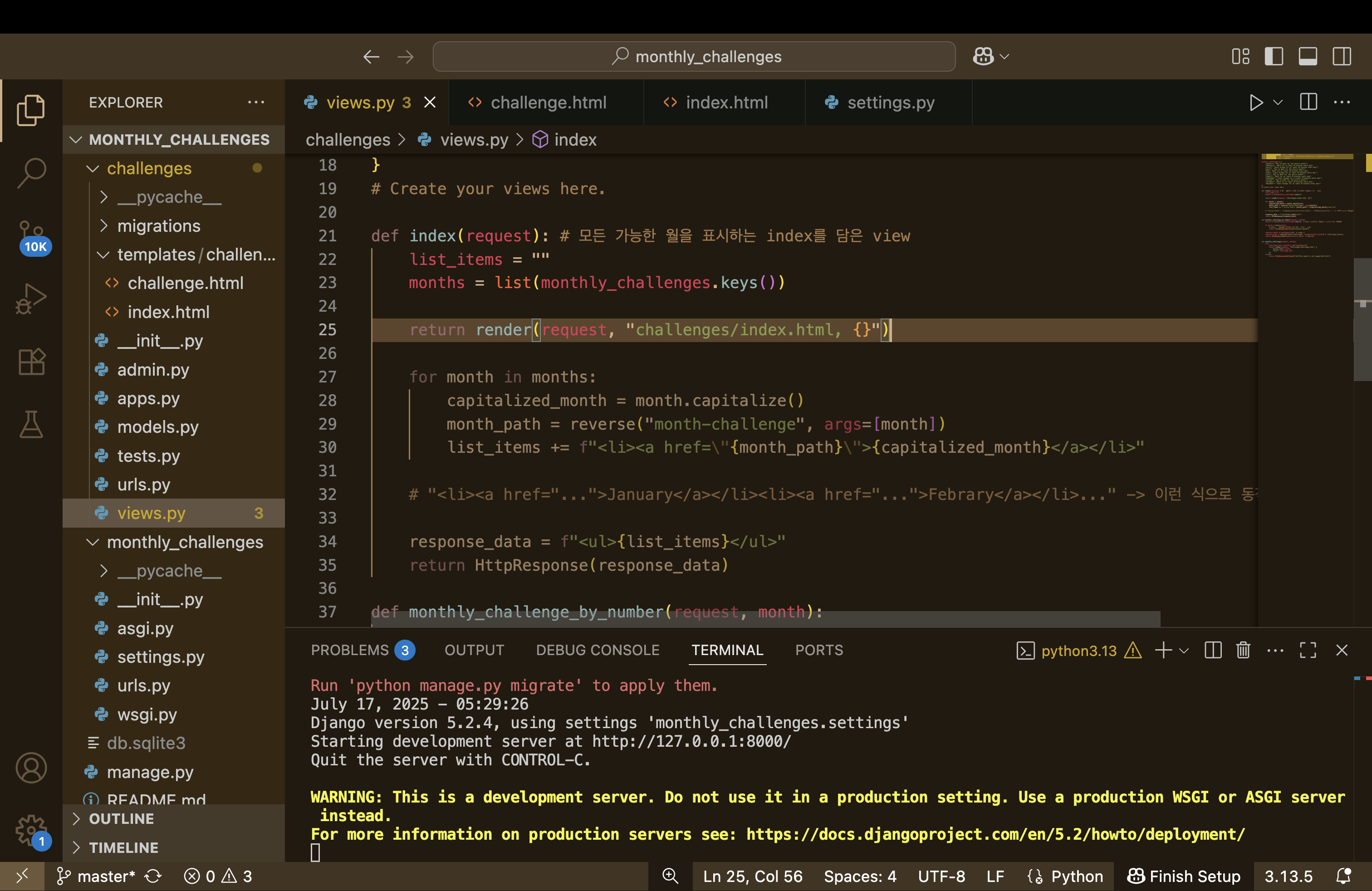
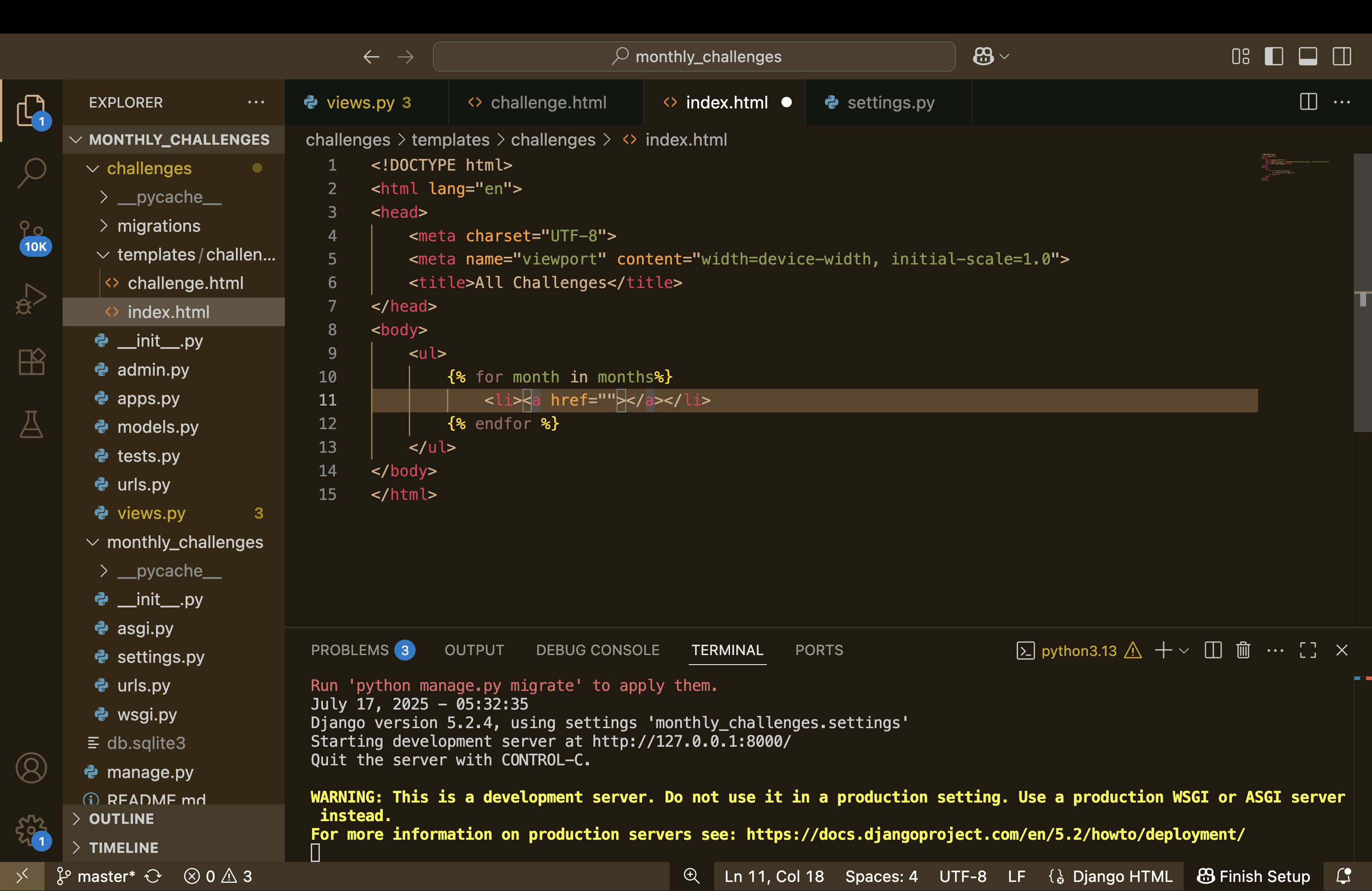
Indent가 필요하지 않음
for tag를 사용하는 방법
The URL Tag for Dynamic URLs
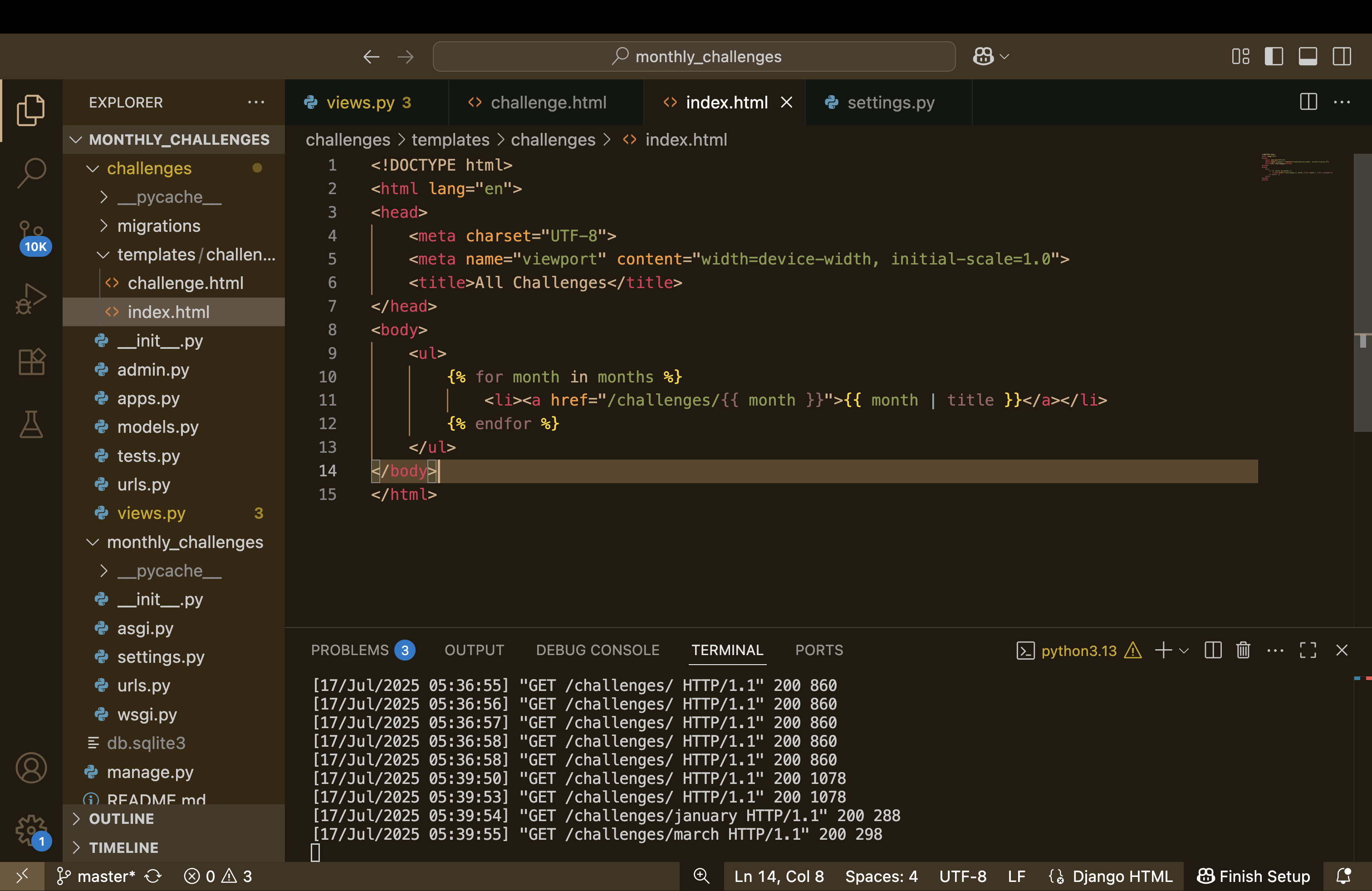
이렇게 하면 January 누르면 들어가지긴 하는데 문제는 하드코딩을 해야 한다는 것 /challenges/ {{month}}
URL Tag
{% for month in months %}
            <li><a href=" {% url "month-challenge" month %}">{{ month | title }}</a></li>
        {% endfor %}
이렇게 고칠 수 있다..
The "if" Tag for Conditional Content
{% if text is not None %}
        <h2>{{ text }}</h2>
    {% else %}
        <p>There is no challenge for this month yet!</p>
    {% endif %}
indent가 상관은 없으나 가독성 위해서 넣어주기
Template Inheritance
index.html과 challenge.html에 이미 겹치는 코드가 많이 있기 때문에 중복을 제거하기 위해 새로운 폴더를 만든다.
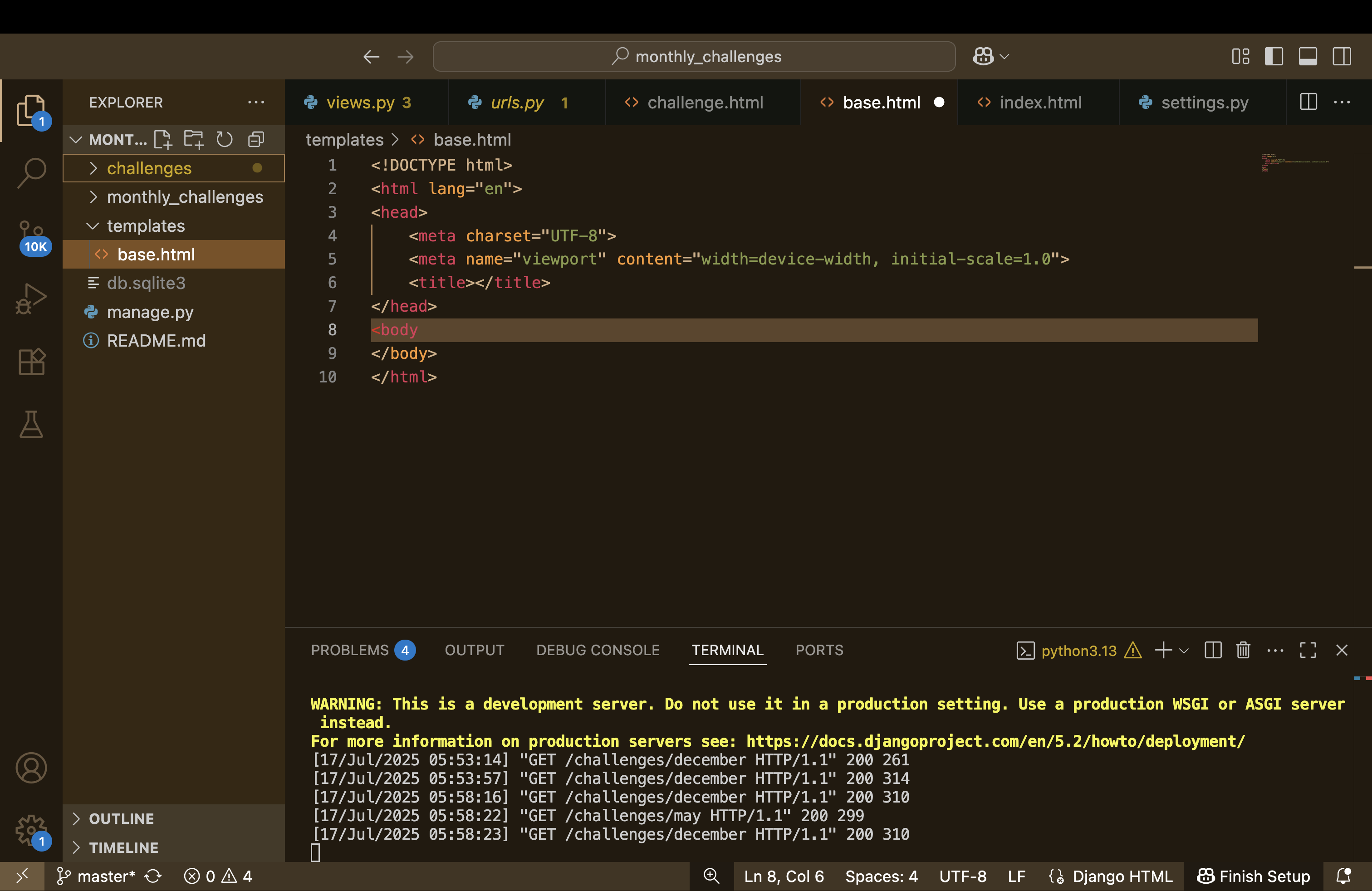
기본적인 레이아웃을 담고 있기 때문에 dynamic하게 동작해야 한다.
Including Partial Templates Snippets
중복되는 코드를 줄이기 위해 부분적인 template snippet을 만들어서 사용한다.
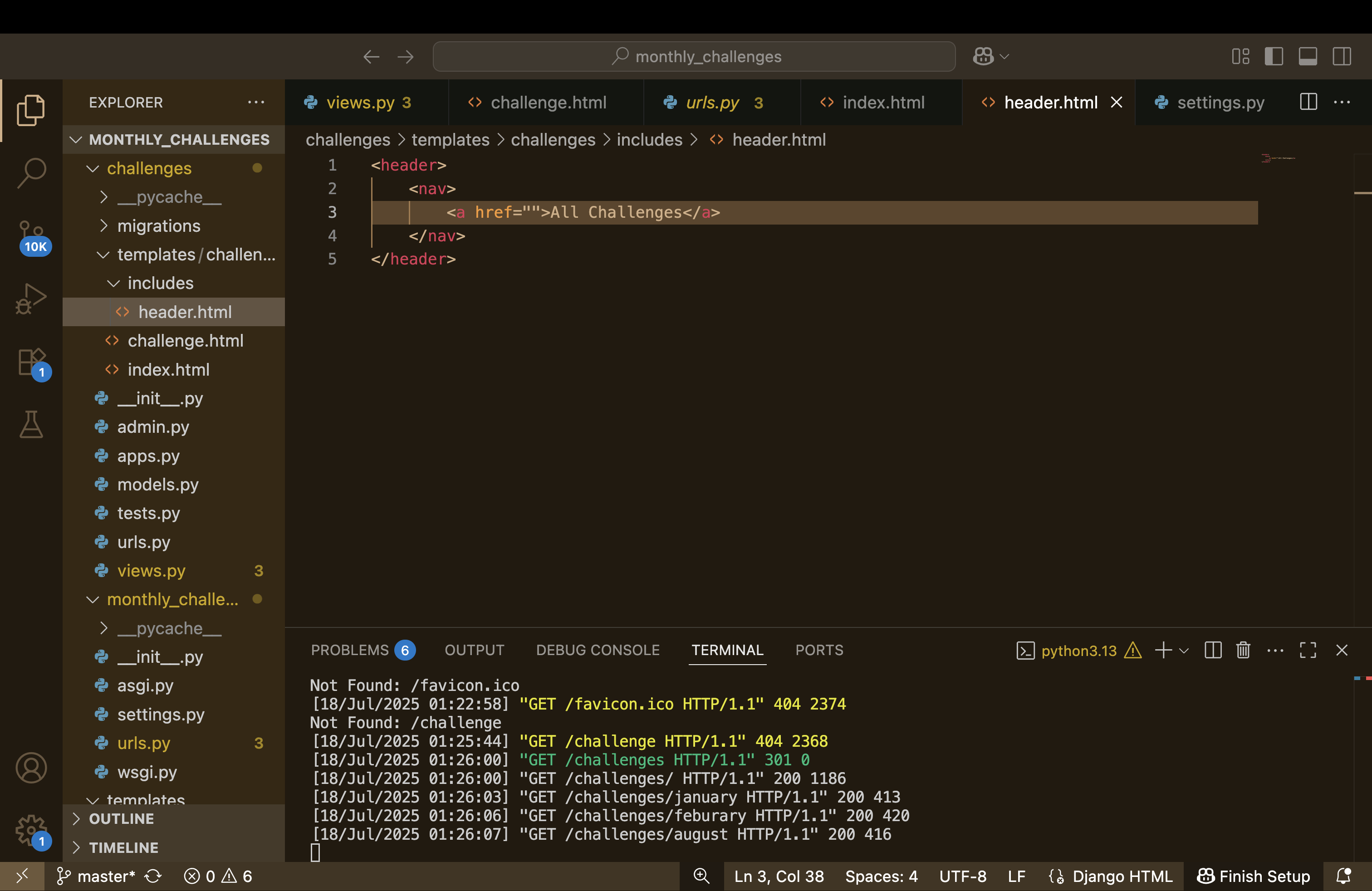
inside of content block, add a new tag -> include tag
* this has nothing to do with include function with earlier in urls.py
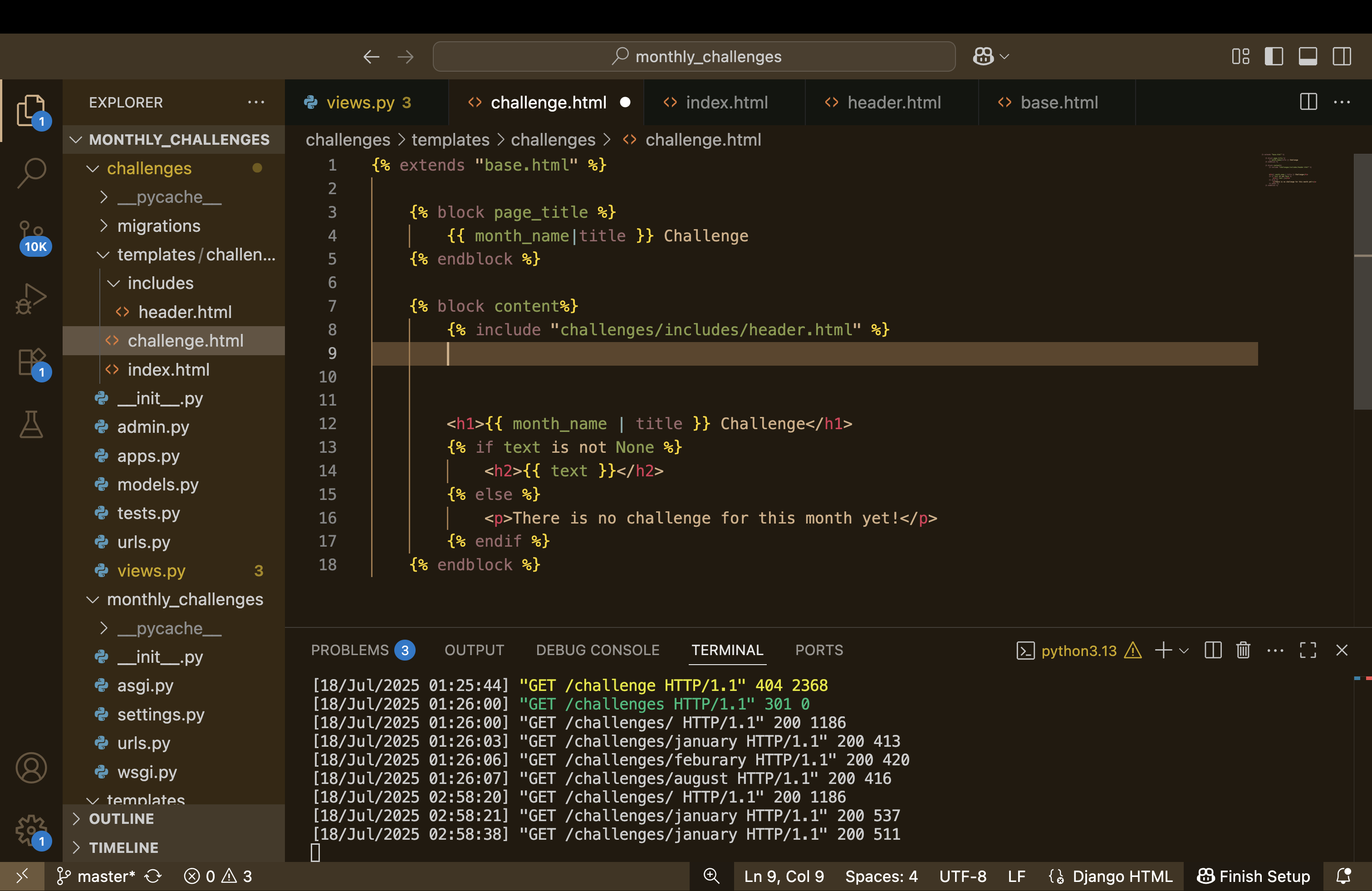
{% ending %} -> cloding tag가 없음
just one thing like the URL tag which includes that snippet
📌 예외: 단일 태그
다만, 아래와 같은 "단일 작동 태그"는 닫는 태그가 필요 없습니다.
| {% include "..." %} | ❌ | HTML 조각 삽입 |
| {% url "..." %} | ❌ | URL 생성 |
| {% load static %} | ❌ | 정적 파일 사용 준비 |
| {% static "..." %} | ❌ | 정적 파일 경로 삽입 |
from django.urls import path

from . import views

urlpatterns = [
    path("", views.index, name="index"), # /challenges/
    path("<int:month>", views.monthly_challenge_by_number),
    path("<str:month>", views.monthly_challenge, name="month-challenge")
]
urls.py
"" (빈 문자열)은 /challenges/ 경로의 기본 페이지를 의미합니다.
name="index"를 줌으로써, 템플릿에서 이 URL을 이름으로 참조할 수 있습니다.
<header>
    <nav>
        <a href="{% url "index" %}">All Challenges</a>
    </nav>
</header>
header.html
{% url "index" %}는 Django 템플릿 태그로,
urls.py에 정의된 "index" 이름을 가진 경로를 자동으로 찾아서 URL로 만들어줍니다.
위의 경우 결과는 href="/challenges/"가 됩니다.
with 키워드로 extra variable을 설정할 수 있다
which will be available inside of the included snippet which are not available in the template which is including
404 Templates
하드 코딩을 피하기 위한 또 다른 방법
monthly_challenge/template 폴더에 가서 404.html 파일을 생성한다.
{% extends "base.html" %}

{% block page_title %}
    Something went wrong - we could not find that page!
{% endblock %}

{% block content %}
    <h1> We could not find that page! </h1>
    <p> Sorry, but we could not find a matching page!</p>
{% endblock %}
def monthly_challenge(request, month):
try:
challenge_text = monthly_challenges[month]
return render(request, "challenges/challenge.html", {
"month_name": month,
"text": challenge_text
})
except:
response_data = render_to_string("404.html")
return HttpResponseNotFound(response_data)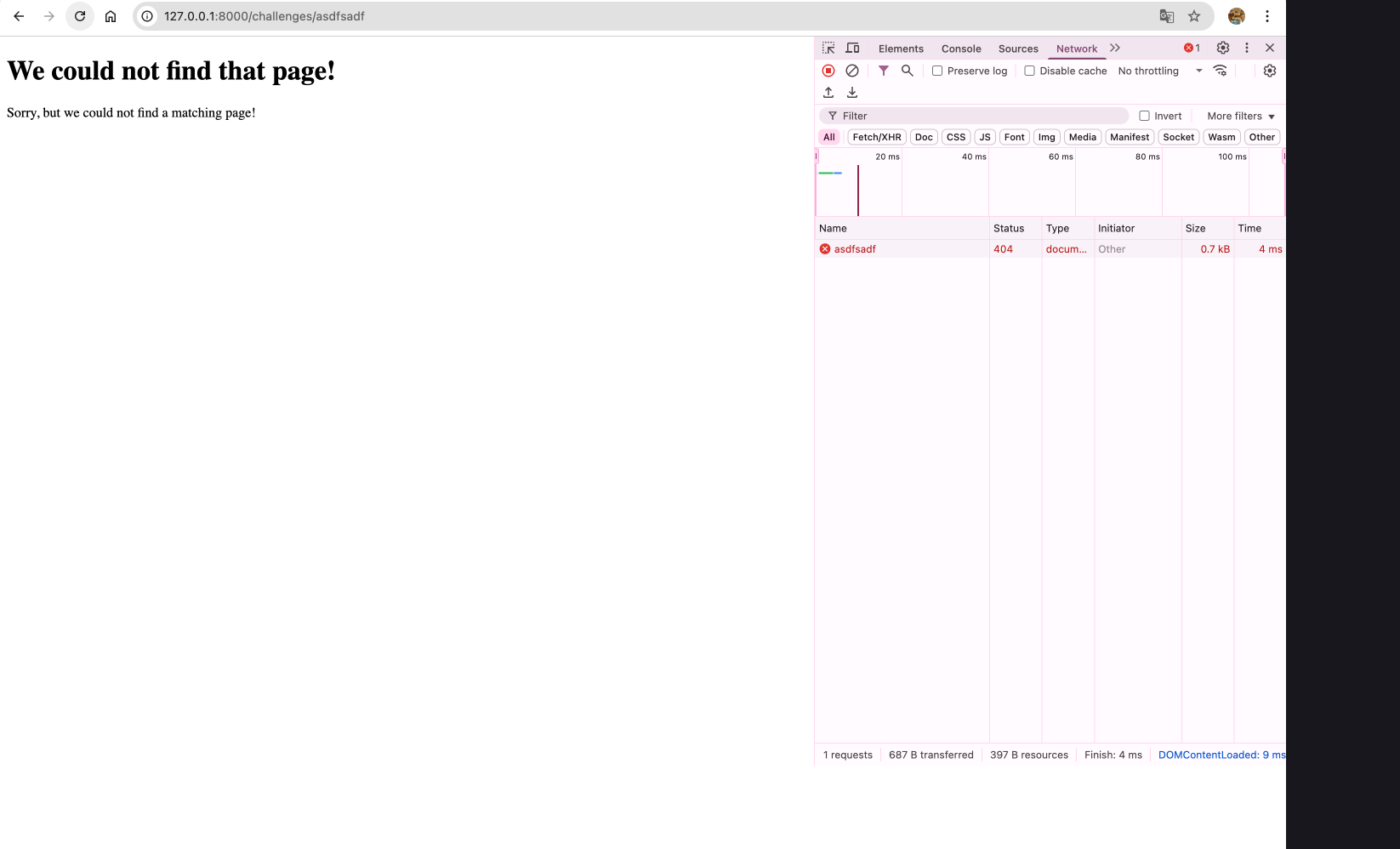
render_to_string 대신에 Http404 를 import할 수도 있다!
✅ DEBUG = True일 때의 동작
1. 에러 발생 시 상세 디버그 페이지 출력
서버에서 예외가 발생하면 브라우저에 예외 종류, 코드 라인, 에러 메시지, 스택 트레이스, 로컬 변수 값 등이 포함된 상세 페이지를 보여줍니다. 예시 화면:
2. 정적 파일(static files)을 자동으로 서빙함
STATICFILES_DIRS, STATIC_URL 등에 따라 manage.py runserver가 정적 파일을 서빙해줍니다. 배포용 웹 서버 설정 없이도 개발 중에 CSS, JS 등을 확인 가능
3. 템플릿 자동 재로딩
.html 템플릿을 수정하면 서버 재시작 없이도 바로 반영됩니다.
* 배포시에는 반드시 False로 설정해야 함.
Adding Static Files
CSS, Javascript -> Static
template - dynamic
어디에 파일을 저장해야 할까?
challges에 폴더를 만들자 static/challenges/ (templates과 같은 구조)
challenges.css
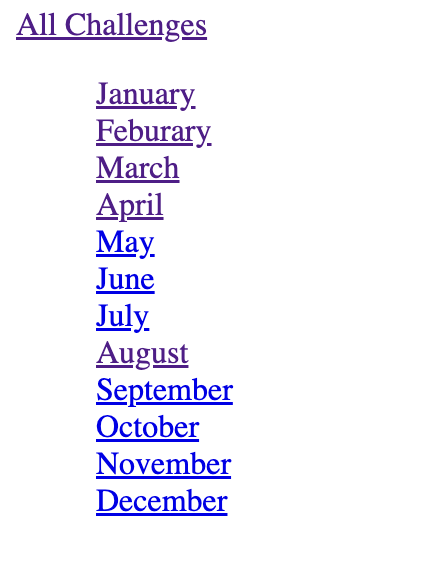
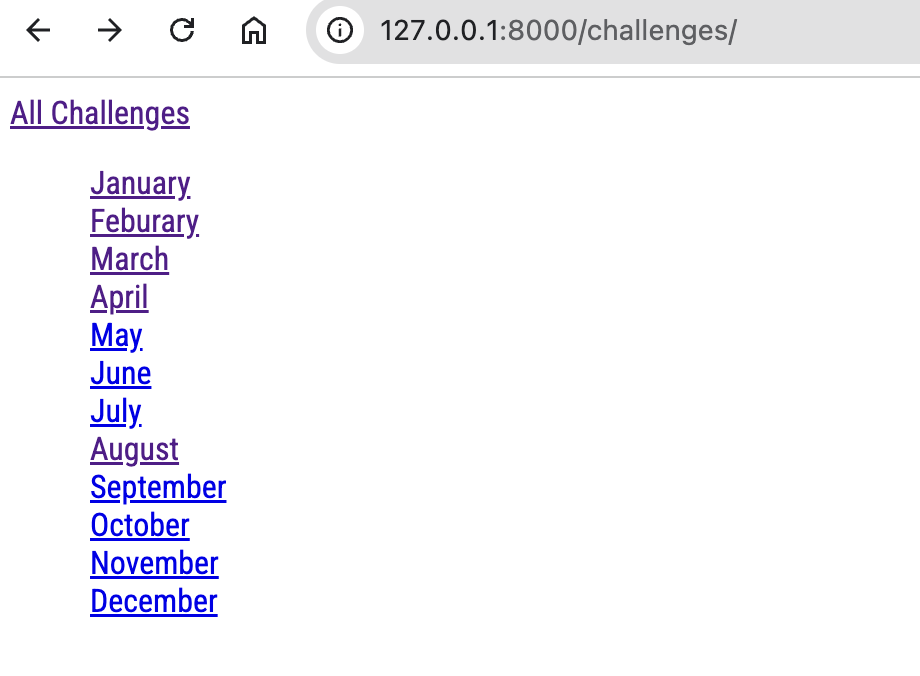
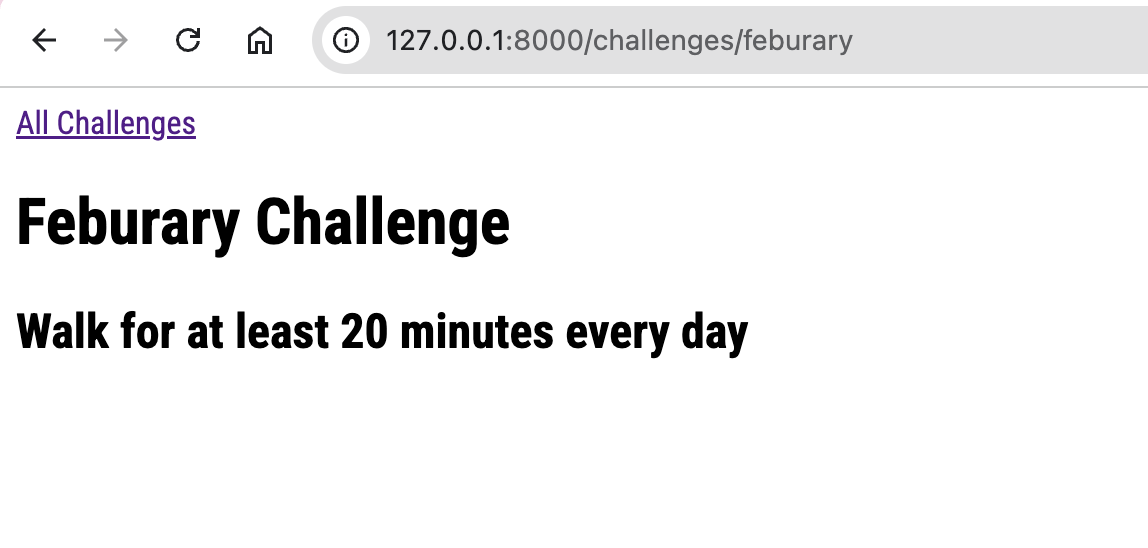
ul {
    list-style: none;
}
index.html
{% extends "base.html" %}
{% load static %}

{% block css_files %}
<link rel="stylesheet" href="{% static "challenges/challenges.css" %}">
{% endblock %}
ctrl+c 를 하고 나서 다시 run을 해야 작동한다.
Adding Global Static Files

여기서 복사해서 코드에 붙여넣으면 된다.
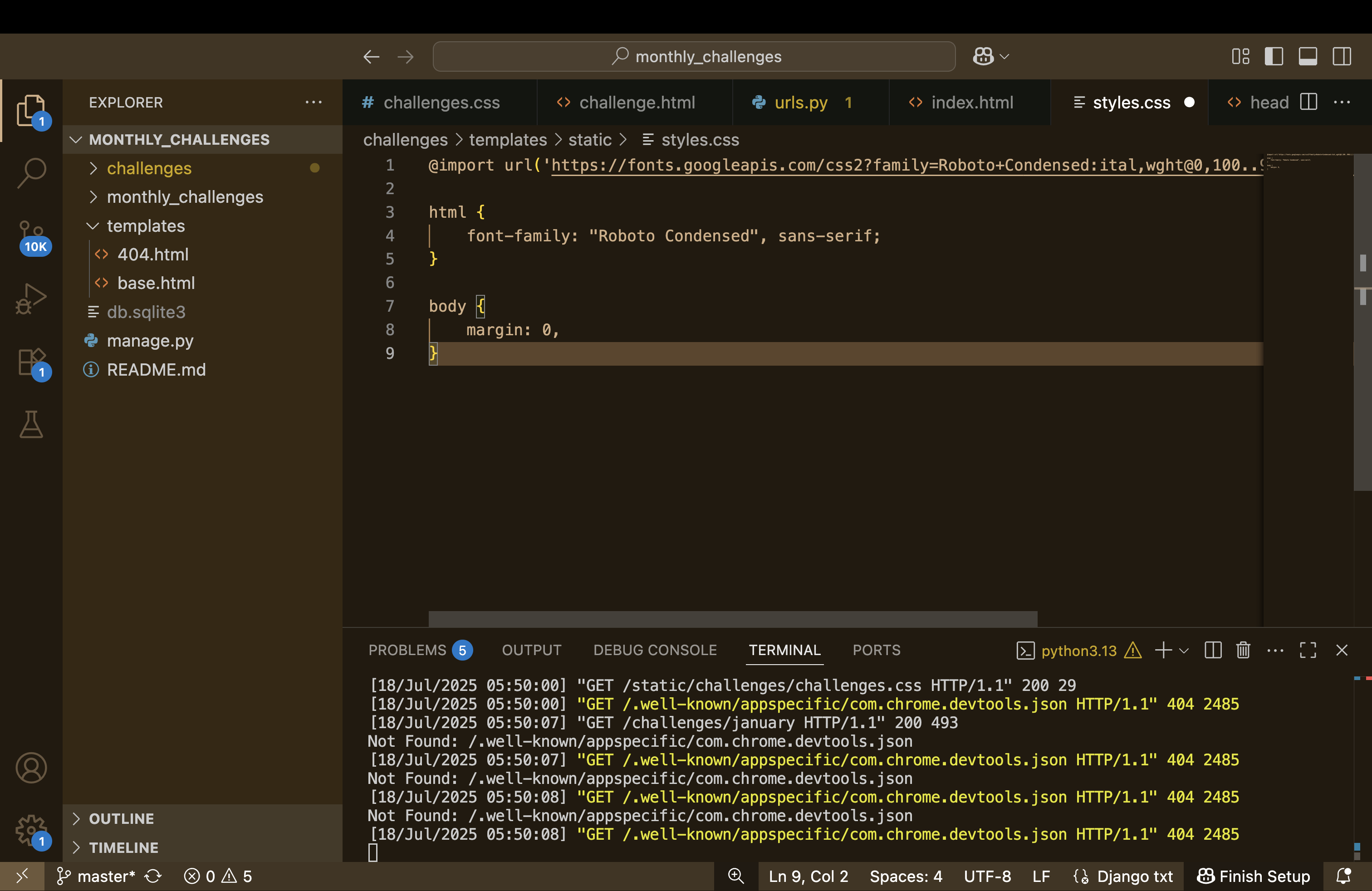
It's a bit like the DIRS setting from our templates.
There we also were able to specify specific template folders in our project, that should be considered by Django.
static file도 마찬가지..
STATICFILES_DIRS 는 Django의 TEMPLATES['DIRS'] 와 유사한 역할..
둘 다 Django가 어디서 파일을 찾을지를 지정하는 설정
my_project/
│
├── templates/
│ └── base.html
│
├── static/
│ └── css/
│ └── styles.css
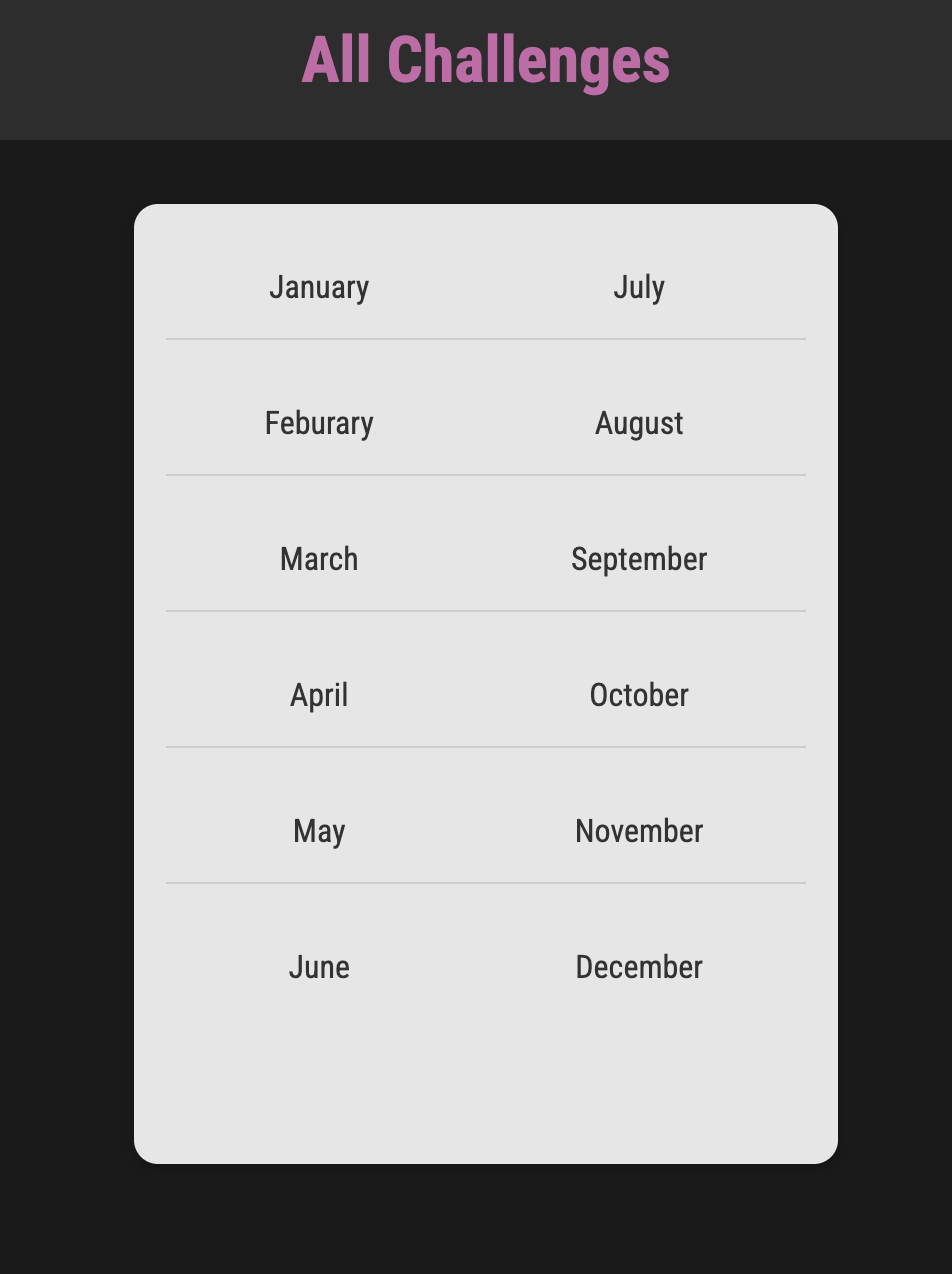
Adding CSS Styling
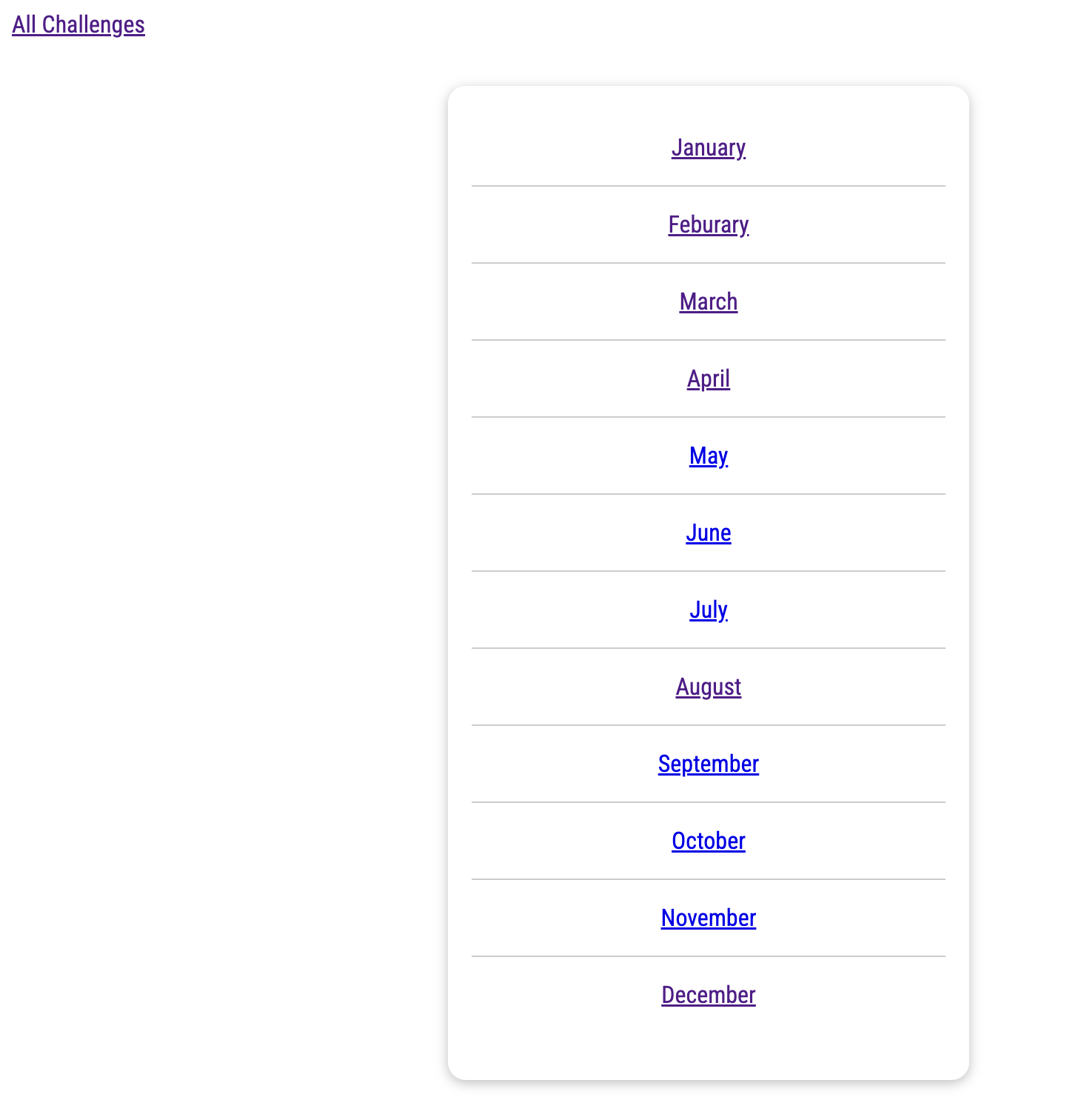
ul {
    list-style: none;
    margin: 2rem auto;
    width: 90%;
    max-width: 50rem;
    box-shadow: 0 2px 8px rgba(0, 0, 0, 0.26);
    padding: 1rem;
    border-radius: 12px;
}
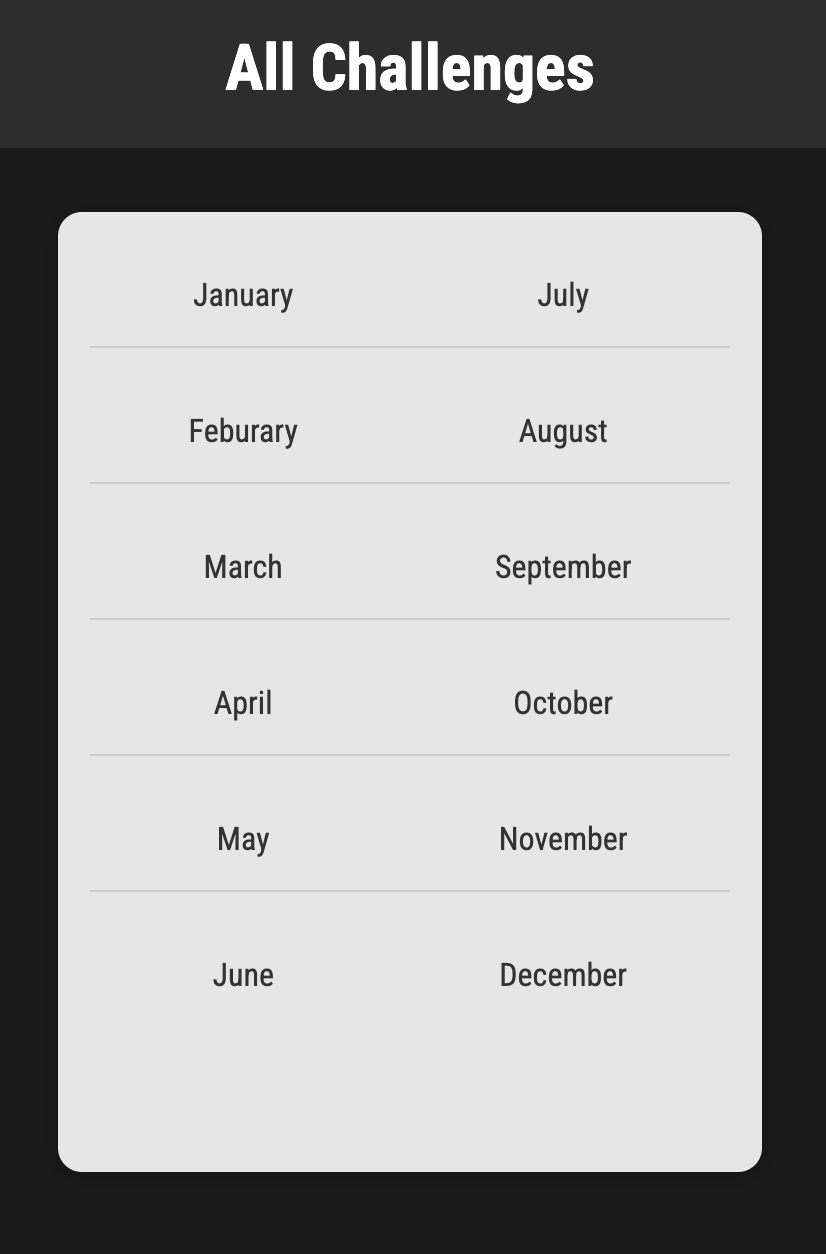
ul {
    list-style: none;
    margin: 2rem auto;
    width: 90%;
    max-width: 20rem;
    box-shadow: 0 2px 8px rgba(0, 0, 0, 0.26);
    padding: 1rem;
    border-radius: 12px;
}

li {
    margin: 1rem 0;
    text-align: center;
    font-size: 1rem;
    border-bottom: 1px solid #ccc;
    padding-bottom: 1rem;
}

li:last-of-type {
    border-bottom: none;
}
challenges/static/challenges/includes/header.css
header {
    width: 100%;
    height: 5rem;
    background-color: #2e2d2d;
}

header nav {
    width: 100%;
    height: 100%;
    display: flex;
    justify-content: center;
    align-items: center;
}

header nav a {
    color: white;
    font-size: 2rem;
    font-weight: bold;
    text-decoration: none;
}

header nav a:hover,
header nav a:active {
    color: #ca68a9;
}
h1,
h2 {
    font-weight: bold;
    text-align: center;
    color: white;
}

h1 {
    font-size: 1.5rem;
    margin: 2rem 0 1rem 0;
    font-weight: normal;
    color: #ca68a9;
}

h2 {
    font-size: 3rem;
}

.fallback {
    text-align: center;
    color: white;
}
challenge.css
만들어서 내부도 수정..


이번 더미 프로젝트는 여기까지...
전체 코드는 요기!
https://github.com/mjpark-haezoom/Python-Django---The-Practical-Guide/tree/main/monthly_challenges
Python-Django---The-Practical-Guide/monthly_challenges at main · mjpark-haezoom/Python-Django---The-Practical-Guide
Contribute to mjpark-haezoom/Python-Django---The-Practical-Guide development by creating an account on GitHub.
github.com
먼 훗날 장고 고수가 되길 바라며 ....
'Programming > Django' 카테고리의 다른 글
| [Django] 2. URLs & Views 핵심 요약 (0) | 2025.07.20 |
|---|---|
| [Django] 1. 폴더 구조, App 생성, runserver 실행까지 (1) | 2025.07.20 |
| [Django] 템플릿에서 정적 파일(static file) 경로를 동적으로 만드는 방법 (0) | 2025.07.18 |
| [Django] 📘 Template Language (DTL) — 중요한 개념 3가지 (3) | 2025.07.18 |
| [Python Django - The Practical Guide] Urls & Views (2) | 2025.07.17 |